
Arvoch Command1.1018 - Google Play
You'll be able to see results in few seconds.
Publisher Description
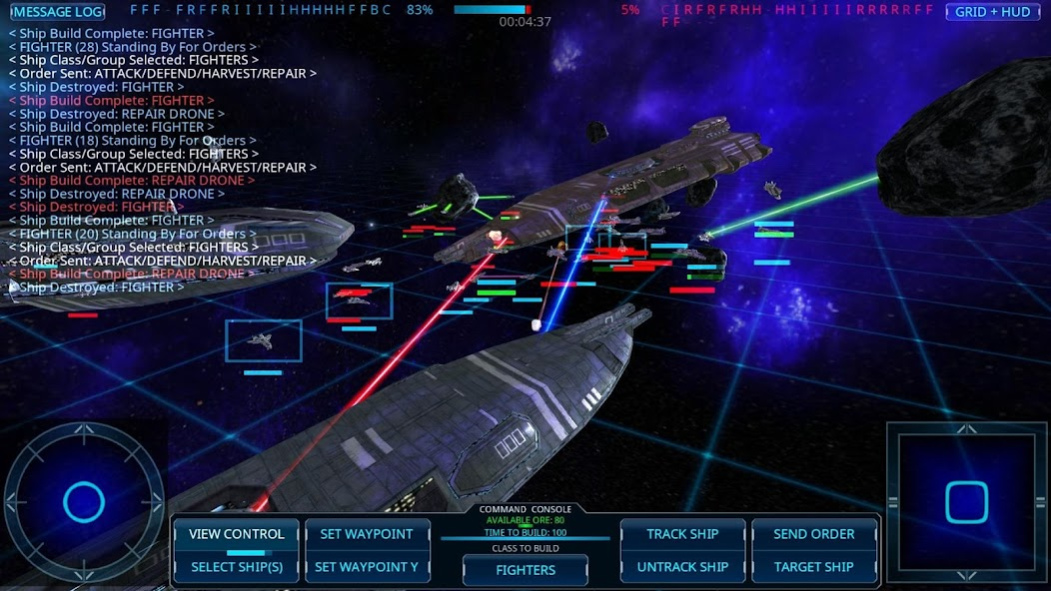
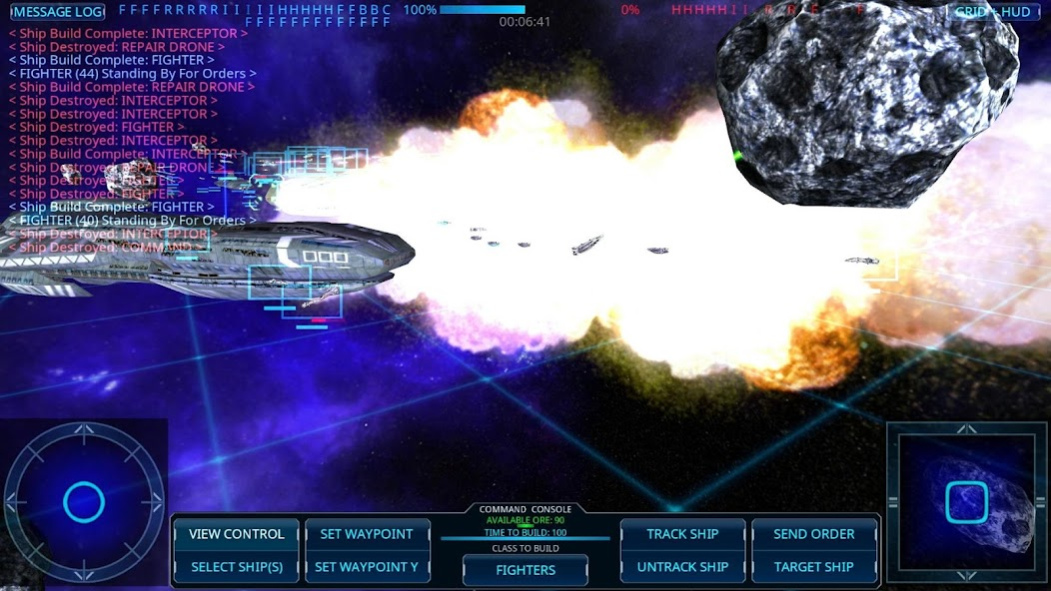
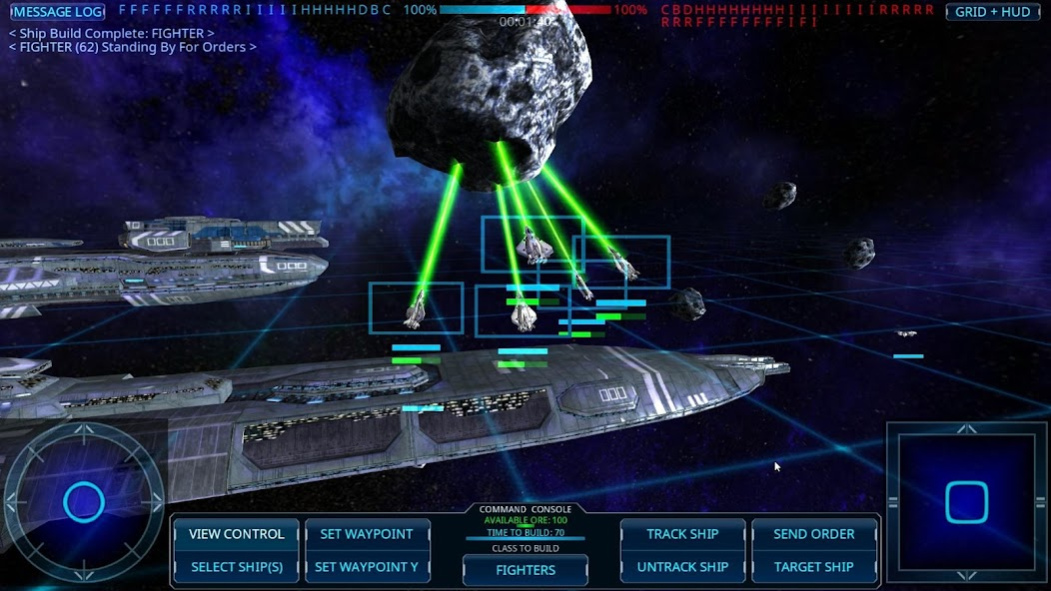
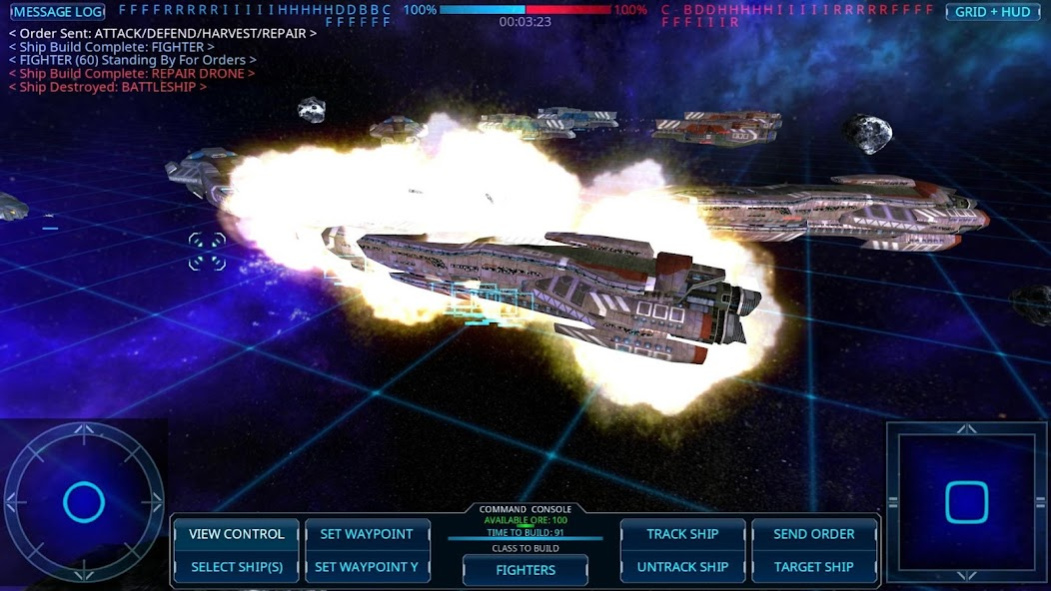
Featuring simplified real-time strategy spaceship combat, Arvoch Command offers focused player directed battles in a fully 3D environment. Arvoch Command is designed to be a chess-like game set in space with consistent weapon and spacecraft specs, equitable fleet arrangements, and role specific ship types.
As the fleet commander, you are in charge of up to several capital ships and four unique smaller ship classes (Harvesters, Interceptors, Repair Drones, and Fighters). Select ships by class or highlighting by drawing a box over them on the screen. You can then issue orders to the selected ship(s) directing them to hold their position, fly to a waypoint, engage in combat/harvest/repair, or return to the command ship.
To rebuild losses, the game features a build system that lets the 'harvester' ship class mine metal ore from nearby asteroids (when present) to provide material to the command ship for building new ships. Choosing which ships to build and when is part of the strategy in winning the battle. Different starting modes are available for variable initial fleet conditions.
The objective is to destroy the enemy fleet and their command ship.
With unbound view control, you can freely move around the combat area to view the battle from any perspective. Optional ship tracking lets you keep the view centered to a particular ship for closer observation and automatic alignment. An 'Overhead' view mode is also available to consistently view the battle area from directly above.
To keep gameplay focused on space combat strategy and battle decisions, there are no 'power ups' or paid shortcuts. The game provides a consistent set of rules and gameplay conditions exclusively focused on in-game real time tactical combat decision making during battle. Only one in-app purchase is available to disable ads.
Game Features:
- Full 3D camera view control with both freeflight camera and ship tracking/centered modes.
- Configure Battle mode that lets you quickly set up your own custom scenarios with desired ship, location, environment, and other options for adjustable difficulty and variety.
- Campaign Battle mode with 20 battles that span the four systems in the game and increase in difficulty to provide an optional challenge with pre-configured scenarios.
- Unique behaviors and actions for each ship class including mining/delivering resources for building, intercepting enemy missiles, repairing damaged fleet ships, and focused combat.
- Efficient quick access UI with View Control, Ship Selection, Build Type, Waypoint Selection, and Ship Tracking modes available in a single tap/click.
- HUD overlay and command console that provide a comprehensive overview on battle conditions and status including command ship damage, individual ship damage levels, ship selection highlighting, recovered metal ore, build status, and event messages.
- AI and graphics systems designed for optimal performance with many battle entities, even on weaker smartphones and tablets.
- Ship selection via either class group or by swiping across the screen to highlight desired ships with a visible box.
- Animated explosions, beam weapons, missiles, and more provide a solid set of visual effects.
- Engaging optional music shared by the first person PC space combat simulation Arvoch Alliance.
Positive/constructive feedback and good relevant reviews will help direct possible future development and/or availability.
About Arvoch Command
The company that develops Arvoch Command is StarWraith 3D Games LLC. The latest version released by its developer is 1.1018.
To install Arvoch Command on your Android device, just click the green Continue To App button above to start the installation process. The app is listed on our website since 2022-10-30 and was downloaded 0 times. We have already checked if the download link is safe, however for your own protection we recommend that you scan the downloaded app with your antivirus. Your antivirus may detect the Arvoch Command as malware as malware if the download link to com.SW3DG.ArvochCommand is broken.
How to install Arvoch Command on your Android device:
- Click on the Continue To App button on our website. This will redirect you to Google Play.
- Once the Arvoch Command is shown in the Google Play listing of your Android device, you can start its download and installation. Tap on the Install button located below the search bar and to the right of the app icon.
- A pop-up window with the permissions required by Arvoch Command will be shown. Click on Accept to continue the process.
- Arvoch Command will be downloaded onto your device, displaying a progress. Once the download completes, the installation will start and you'll get a notification after the installation is finished.
Program Details
System requirements
Download information
Pricing
Version History
version 1.1018
posted on 2022-10-30
Update 1.1018:
- Updated to accommodate Google Play requirements.
- Fix for error message when disabling ads.
version 1.0998
posted on 2022-02-24
Update 1.0978-1.0998:
- Expanded support for more devices.
- Media format updated to better support future modifications/changes.
version 1.0988
posted on 2022-02-14
Update 1.0978-1.0988:
- Expanded support for more devices.
- Update to meet latest Android bundle requirements.
- Close button symbol changed to 'X' for clarity.
- Minor improvements.
version 1.0978
posted on 2021-10-13
Update 1.0978:
- Update to meet latest Android bundle requirements.
- Close button symbol changed to 'X' for clarity.
- Minor improvements.
version 1.0928
posted on 2021-04-28
Update 1.0928:
- Updated to meet latest Android permission requirements.
version 1.0918
posted on 2020-11-16
Update 1.0888-1.0918:
- Updated to meet Android 10 external storage requirements.
- Main menu Exit process changed to minimize per Google Play requirements.
- Minor fixes.
version 1.0888
posted on 2020-06-24
Update 1.0828-1.0878:
- Updated to meet Android 10 external storage requirements.
- Fleet Formation option added to select custom initial ship formations.
- Overhead view control mode updated to scale swipe movement rate with viewing distance.
- Instructions updated for new options/changes and references to desktop mouse controls removed.
- Tutorial updated to remove references to desktop mouse controls.
- Shader improvements.
version 1.0878
posted on 2020-05-29
Update 1.0828-1.0878:
- Fleet Formation option added to select custom initial ship formations.
- Overhead view control mode updated to scale swipe movement rate with viewing distance.
- Instructions updated for new options/changes and references to desktop mouse controls removed.
- Battlefield HUD grid adjusted to align with 50X50 coordinate unit sections.
- Tutorial updated to remove references to desktop mouse controls.
- Shader improvements.
version 1.0848
posted on 2020-03-26
Update 1.0798-1.0848:
- Improved prompt for external write access and also made optional.
- Fleet Formation option added to select custom initial ship formations.
- Overhead view control mode updated to scale swipe movement rate with viewing distance.
- Battlefield HUD grid adjusted to align with 50X50 coordinate unit sections.
- Instructions updated for new options/changes.
- Shader improvements.
- Minor fixes.
version 1.0798
posted on 2020-01-06
Update 1.0788-1.0798:
- Fleet Formation option added to select custom initial ship formations.
- Overhead view control mode updated to scale swipe movement rate with viewing distance.
- Battlefield HUD grid adjusted to align with 50X50 coordinate unit sections.
- Updated storage folder check to support certain devices.
- PVP Multiplayer option moved to Configure Battle menu.
- Instructions updated for new options/changes.
- Shader improvements.
- Minor fixes.
Disclaimer
Official Google Play Link
We do not host Arvoch Command on our servers. We did not scan it for viruses, adware, spyware or other type of malware. This app is hosted by Google and passed their terms and conditions to be listed there. We recommend caution when installing it.
The Google Play link for Arvoch Command is provided to you by apps112.com without any warranties, representations or guarantees of any kind, so access it at your own risk.
If you have questions regarding this particular app contact the publisher directly. For questions about the functionalities of apps112.com contact us.
